
Counter Orders
Take fast orders through a POS checkout screen using a touchscreen laptop or tablet.
Takeaway & Quick-Service Software
Tab2Kit helps takeaway shops and quick-service food businesses manage fast orders, kitchen preparation, payment workflow, stock, staff and reports from one connected system.
Take counter orders, QR orders, takeaway orders and online orders, then send them clearly to the kitchen or preparation area. Keep order status, payment activity, inventory and reporting connected so the business can move faster with fewer disconnected tools.
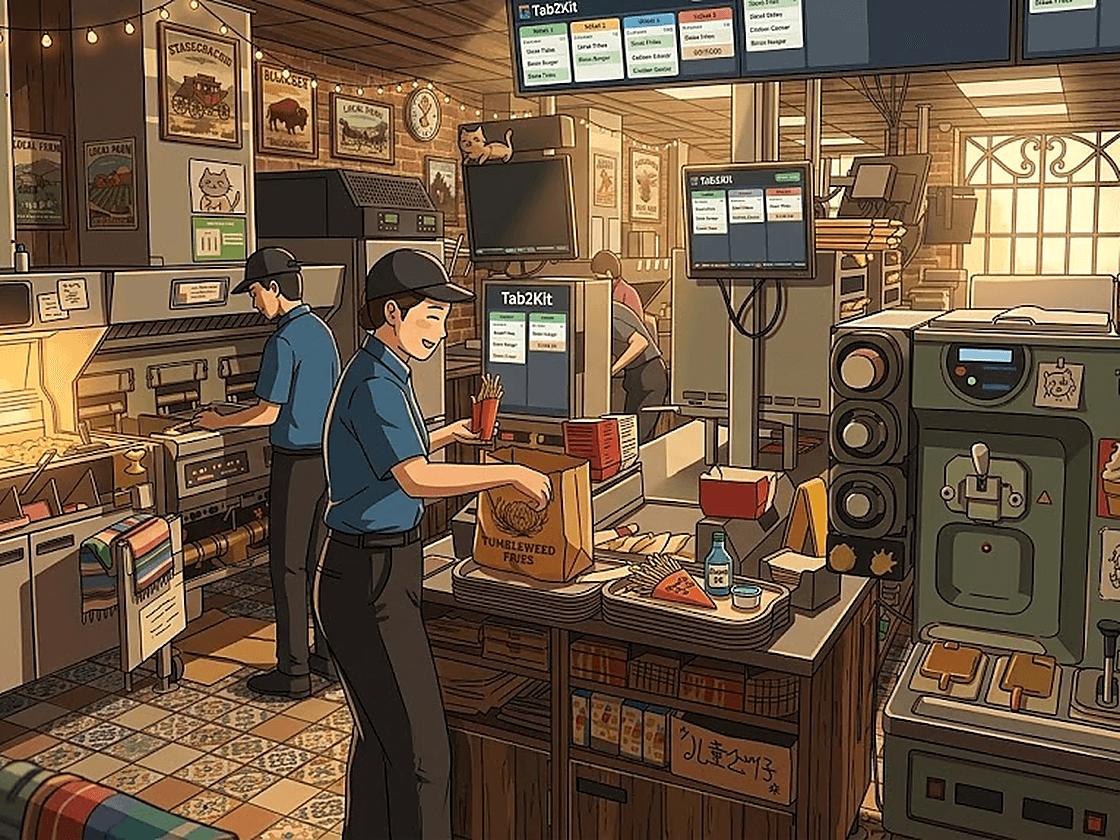
Connected software
Takeaway and quick-service operations depend on speed and accuracy. Orders need to be entered quickly, sent to preparation clearly, completed on time and recorded properly for reporting.
When POS, kitchen orders, online orders, payments, stock and reports are disconnected, staff may need to check multiple screens, re-enter orders or manually confirm status.
Orders arrive from different channels.
Kitchen or preparation staff need clear order details.
Takeaway status can become hard to track.
Online orders may sit in a separate workflow.
Payment status needs to be clear.
Packaging, ingredients and wastage affect profit.
Sales reports alone do not explain margin.
Tab2Kit helps connect these workflows so the business can manage high-volume service with clearer information.
Orders
Takeaway and quick-service businesses often receive orders from the counter, phone, QR ordering, online ordering and staff-entered workflows. The challenge is keeping these orders moving quickly without creating separate processes.
Tab2Kit helps bring order channels into one connected workflow.
Take fast orders through a POS checkout screen using a touchscreen laptop or tablet.
Manage takeaway orders from entry to preparation and completion.
Let customers place orders from their phone using QR ordering.
Accept direct online orders connected to your operation.
Allow staff to enter and manage orders clearly during busy service.
This helps reduce manual re-entry and keeps order activity easier to manage.
Kitchen preparation
Fast service depends on clear preparation flow. Staff need to know what has been ordered, what is in progress and what has been completed.
Tab2Kit includes a cloud-based kitchen display or bump screen that can run on any laptop or computer with internet.
View incoming orders clearly
Manage preparation status
Use bump screen workflow
Reduce paper docket dependency
Support counter, takeaway, QR and online orders
Coordinate preparation during peak periods
Keep order completion status clearer
For takeaway and quick-service businesses, a clearer kitchen workflow helps reduce delay and confusion.
Prep display
Incoming, preparing and ready orders
New order
01Preparing
02Ready
03Bumped
04Live view
Active
Connected module
Payments
Payment needs to move quickly in takeaway and quick-service environments. Staff should be able to understand payment status and order status without manually checking disconnected tools.
Tab2Kit supports bill handling and Stripe-powered payment workflow using a mobile phone.
Order-to-payment workflow
Payment status visibility
Stripe-powered payment process
Mobile phone payment workflow
Reduced dependency on external payment devices
Connection between payment activity and reports
This helps keep the customer transaction connected from order entry to completion.
Stock alerts
Packaging, ingredients and wastage
Tomatoes
01Coffee beans
02Sourdough
03Milk
04Live view
Active
Connected module
Inventory
Takeaway and quick-service businesses rely on more than food ingredients. Packaging, sauces, prepared components and perishable stock can all affect daily cost.
Tab2Kit supports ingredient-level inventory, wastage tracking, expiry date tracking, batch/lot information and perishable stock alerts.
Food ingredient stock
Packaging stock
Sauce and add-on usage
Prepared components
Low-stock items
Expiry-risk items
Wastage records
Batch or lot information
Ingredient usage behind menu items
Stock impact from takeaway and online orders
When stock connects with orders and reports, owners can better understand where margin is being lost.
Staff
Quick-service teams need clear roles. Staff may work at the counter, preparation area, kitchen, packing station or management level. Each role may need different system access.
Tab2Kit supports staff management features including time attendance, work summaries, attendance calculation and role-based permissions.
This helps keep staff activity connected to daily operations.
Reports
High order volume does not always mean strong profit. Owners need to understand which items sold, which channels performed, which ingredients or packaging were used, which orders were delayed and how costs affected margin.
Tab2Kit supports daily, monthly and yearly reports, menu-item analysis and cost-control visibility.
Daily order activity
Counter, takeaway, QR and online order performance
Best-selling menu items
Low-margin or high-cost items
Stock movement
Packaging and ingredient usage
Wastage and expiry risk
Staff attendance and work summaries
Payment activity
Profit and cost-control visibility
This helps owners understand the business behind the order queue.
Quick-service reports
Order volume, channel and margin view
Daily sales
01Food cost
02Menu item
03Staff time
04Live view
28%
Connected module
Flexible hardware
Takeaway and quick-service businesses often need practical technology without heavy upfront hardware cost.
A touchscreen laptop or tablet as the POS checkout screen
A mobile phone for Stripe-powered payment workflow
A laptop or computer with internet as a kitchen display or bump screen
This gives operators a flexible setup while keeping orders, preparation, payments and reports connected.
Business models
Tab2Kit can support a range of fast-service food businesses.
Manage counter orders, takeaway orders, kitchen preparation, payment status and reports.
Move orders quickly from POS, QR or online channels to preparation.
Use flexible hardware and connected ordering workflows.
Support online ordering, takeaway status and kitchen preparation flow.
Keep order entry, preparation and payment workflow clearer during busy periods.
Use multi-location management for products, stock, staff, pricing and reports.
Related features
Explore the operational features that support takeaway and quick-service order flow.
Take counter, takeaway, QR and online orders through a connected checkout workflow.
Learn moreSend orders to a kitchen display or bump screen for preparation.
Learn moreSupport QR ordering, takeaway ordering and online ordering workflows.
Learn moreAccept direct online orders connected to operations.
Learn moreSupport payment workflow and mobile phone payment using Stripe.
Learn moreTrack ingredients, packaging, wastage, expiry dates and perishable stock alerts.
Learn moreManage pricing by sales channel, customer group and ingredient cost.
Learn moreReview daily order activity, menu-item performance and cost-control visibility.
Learn moreFAQ
Practical answers for takeaway shops and quick-service operators comparing Tab2Kit with disconnected tools.
Yes. Tab2Kit supports takeaway businesses with POS, takeaway orders, kitchen display, QR ordering, online ordering, payment workflow, inventory, staff and reports.
Yes. Tab2Kit can support quick-service restaurants that need fast order entry, clear kitchen preparation flow and connected reporting.
Yes. Tab2Kit supports takeaway order management from order entry to preparation and completion.
Yes. Orders can connect to a cloud-based kitchen display or bump screen using a laptop or computer with internet.
Yes. Tab2Kit supports direct online ordering workflows connected to operations.
Yes. Tab2Kit supports QR ordering as part of its connected ordering workflow.
Yes. Tab2Kit supports ingredient-level inventory and can help manage packaging stock, wastage, expiry and perishable stock alerts.
Yes. Tab2Kit is designed to work with common devices such as touchscreen laptops, tablets, mobile phones and internet-connected computers.
Book a Tab2Kit demo and see how takeaway orders, kitchen preparation, payments, stock, staff and reports can work together.