
QR Ordering
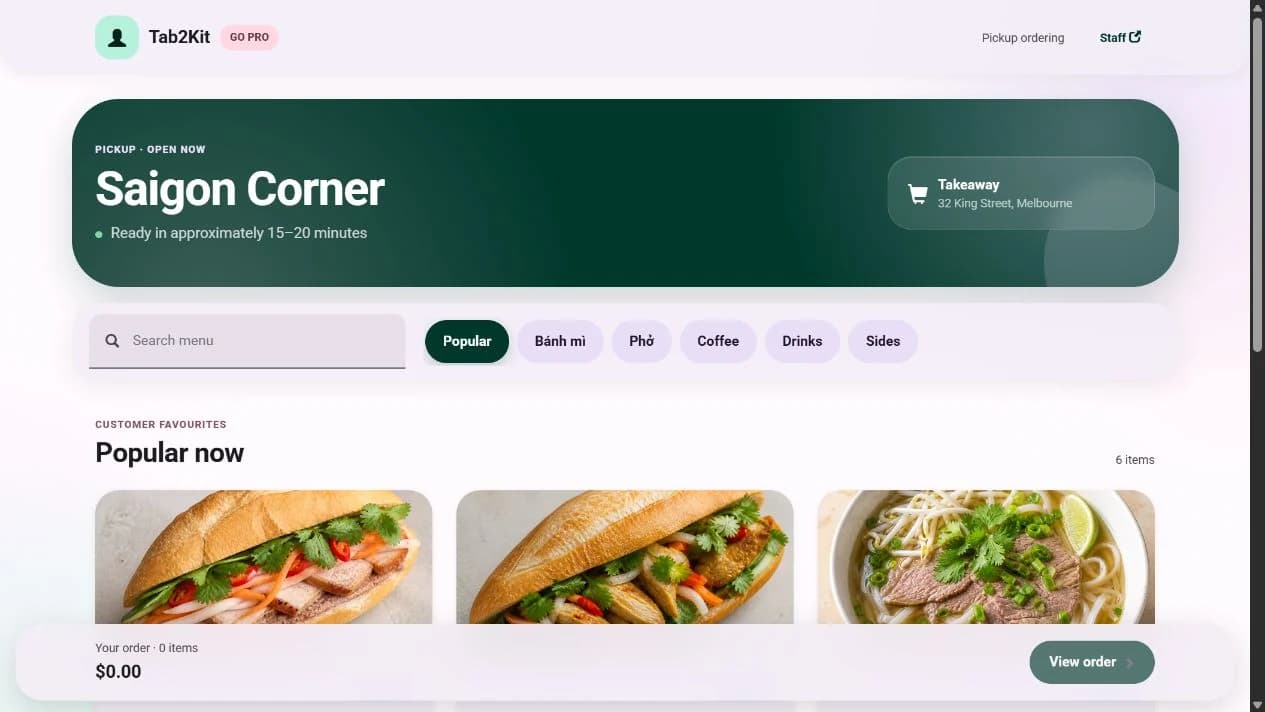
Customers scan a QR code and place orders from their phone.
QR & Online Ordering
Tab2Kit helps cafes, restaurants and food shops accept orders through QR ordering, table ordering, takeaway ordering and online ordering. Orders can connect to POS, kitchen display, payment workflow, inventory and reports.
Instead of receiving digital orders in a separate system, Tab2Kit keeps ordering channels connected to the daily workflow of your food business.
Customer ordering
What it does
Tab2Kit helps customers place orders digitally while keeping those orders connected to your operation. Customers may order from a QR code at the table, place takeaway orders, or order online through a direct ordering channel.
QR ordering
Table ordering
Takeaway ordering
Online ordering
Order status workflow
Kitchen display connection
Payment workflow support
Reporting connection
Those orders can then move into the same workflow used by your staff, kitchen and management reports. The goal is to accept more order types without creating more manual work behind the counter.
Ordering channels
Tab2Kit is designed for food businesses that receive orders from more than one place.
Customers scan a QR code and place orders from their phone.
Customers or staff can place orders linked to a table.
Takeaway orders can be managed from order entry to preparation and completion.
Customers can order through a direct online ordering flow connected to your business.
Orders entered by staff through POS can work alongside customer-submitted digital orders.
All channels should lead into one operational workflow, not separate order silos.
Kitchen connection
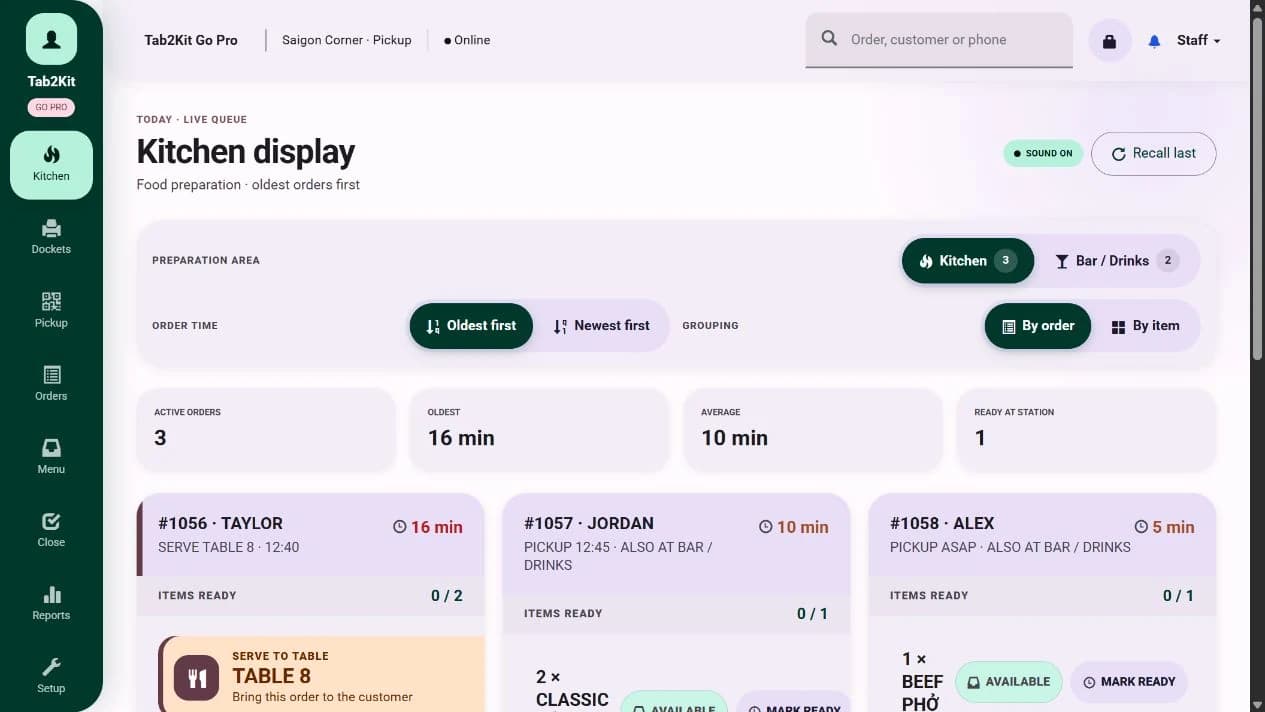
Digital ordering only works well when the kitchen receives orders clearly. With Tab2Kit, QR, table, takeaway and online orders can connect to the kitchen display system or bump screen.
Kitchen connection
POS and payments
QR and online ordering should not sit outside your checkout workflow. Tab2Kit helps connect customer orders with POS and payment handling.
Stock and reports
Standalone QR ordering tools may help customers place orders, but they often do not give owners a clear view of what those orders mean for stock, ingredients and profit.
Connected ordering
Digital ordering can create problems when orders arrive in a separate app, inbox, tablet or marketplace dashboard. Tab2Kit is designed to keep orders connected to operations.
Benefits
Digital ordering should reduce friction for customers while keeping the venue's operations clear and connected.
Let customers order through QR, table, takeaway or online channels.
Reduce the need to copy orders from one system into another.
Send digital orders to the kitchen display or bump screen.
Keep order status clearer across staff, kitchen and customer channels.
Use digital order data in daily reports, menu-item analysis and cost-control review.
Start with simple ordering, then connect POS, kitchen, stock, suppliers, staff and profit visibility as the business grows.
Related features
Multi-channel ordering is strongest when POS, kitchen, payments and reports stay connected.
Manage staff-entered orders, customer orders, order status and checkout workflow.
Learn moreSend QR, takeaway and online orders to the kitchen display or bump screen.
Learn moreGive customers a direct online ordering channel connected to your business.
Learn moreSupport practical bill handling and Stripe-powered payment workflow.
Learn moreUse order data to support daily reporting, menu-item analysis and cost-control visibility.
Learn moreFAQ
Answers for cafe and restaurant owners comparing QR, table, takeaway and online ordering options.
Yes. Tab2Kit supports QR ordering so customers can place orders from their phone.
Yes. Tab2Kit supports table ordering as part of the connected ordering workflow.
Yes. Tab2Kit can support takeaway ordering from order entry to kitchen preparation and completion.
Yes. Tab2Kit supports online ordering through a direct ordering workflow connected to the business operation.
Yes. QR orders can connect to the kitchen display system or bump screen.
Yes. Online orders can be managed as part of the broader order workflow with POS and order management.
Yes. Tab2Kit is designed to connect order data with ingredient inventory, reports, menu-item analysis and cost-control visibility.
Ready to connect QR, table, takeaway and online orders?