
Time Attendance
Record staff attendance and support attendance calculation.
Product Overview
Tab2Kit connects the key daily workflows of a cafe, restaurant or food business. It includes POS and order management, kitchen display, QR and online ordering, ingredient inventory, recipe costing, supplier purchasing, staff attendance, reports and multi-location control.
Instead of using one tool for orders, another for stock, another for suppliers and another for reports, Tab2Kit gives your business one connected operating system.
Tab2Kit Go Pro
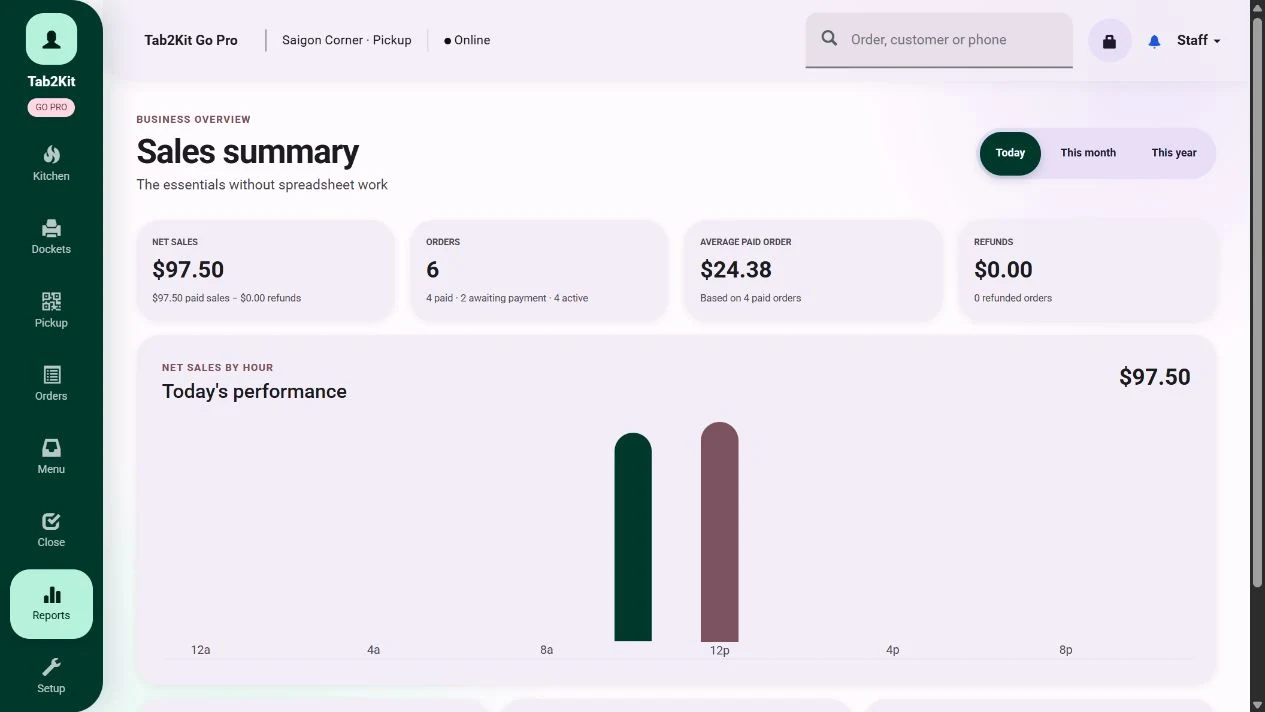 Owner reports
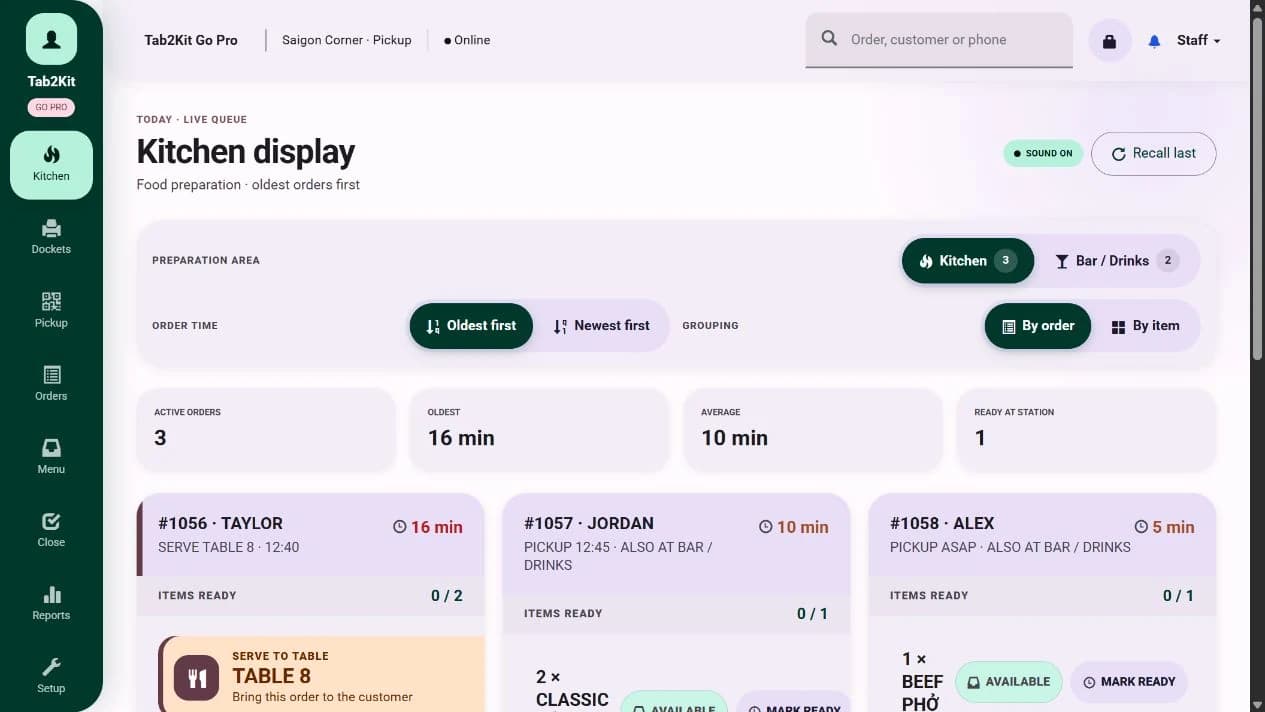 Kitchen display
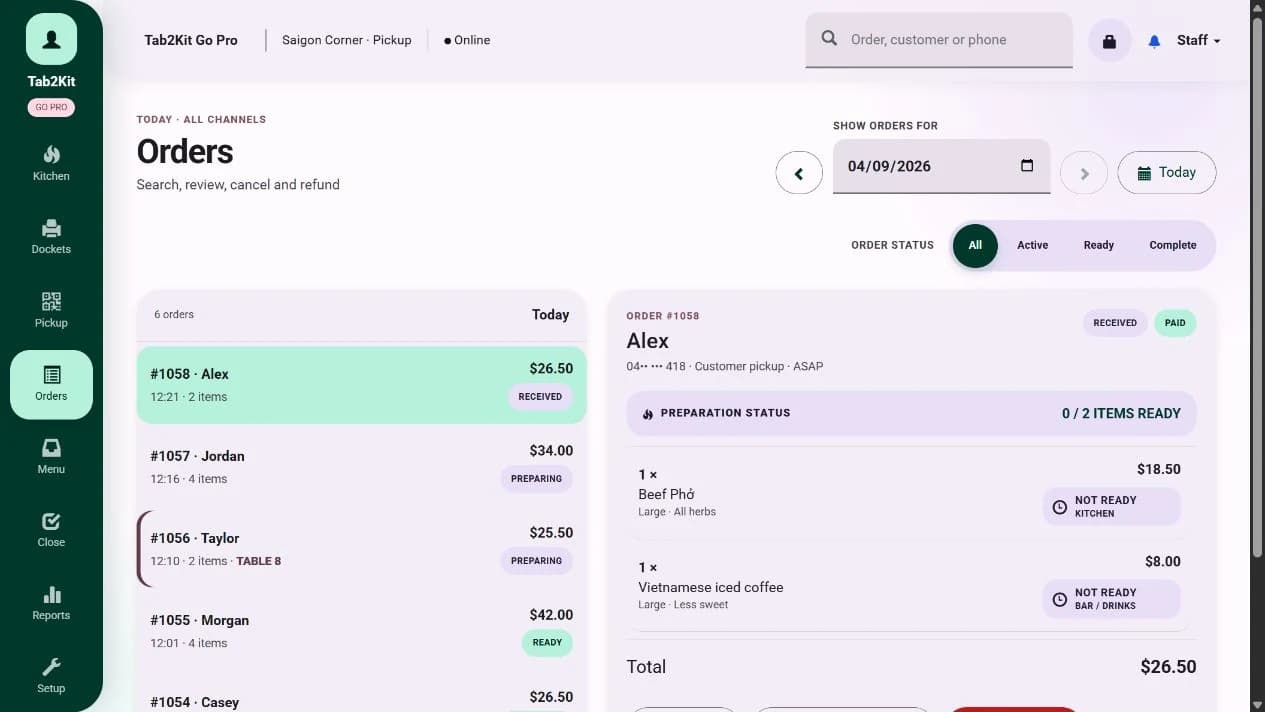 Order control
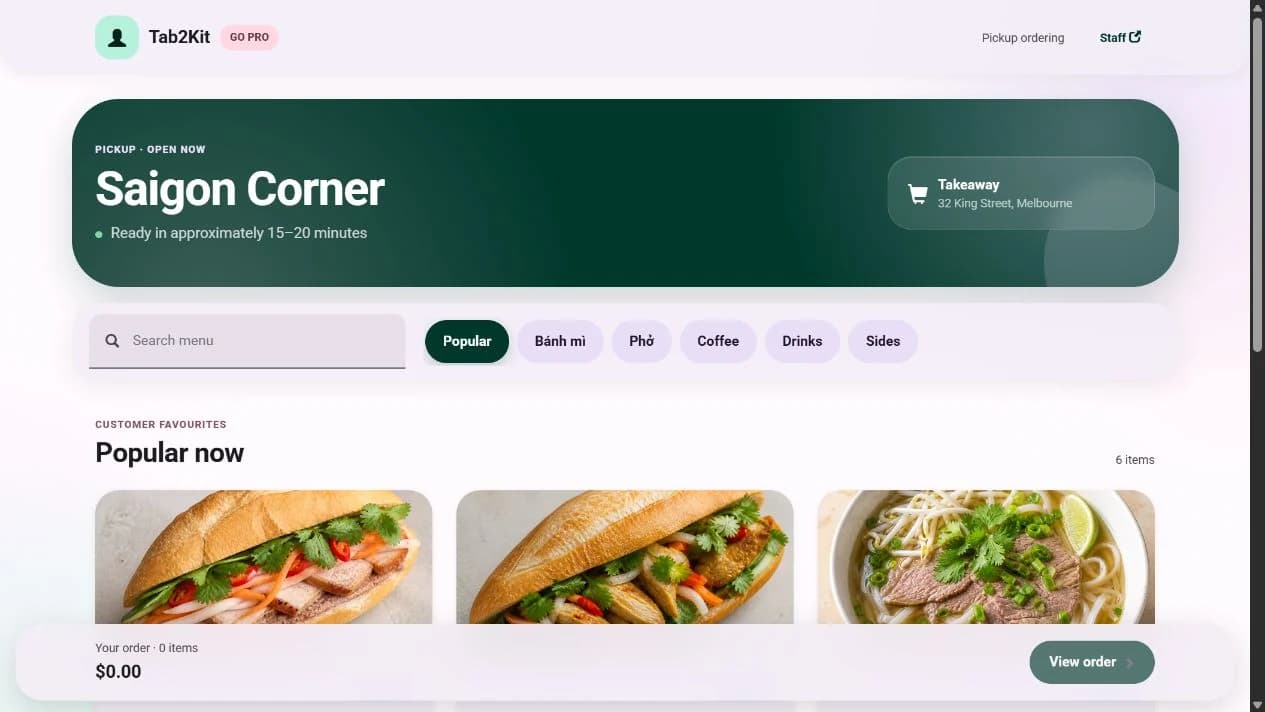 Online ordering
Product map
Tab2Kit is designed to support the full operating flow of a food business.
Take orders through a real checkout screen using a touchscreen laptop or tablet.
Learn moreSend orders to a cloud-based kitchen display or bump screen using any laptop or computer with internet.
Learn moreSupport QR ordering, table ordering, takeaway ordering and online ordering.
Learn moreSupport practical bill handling and Stripe-powered payment workflow using a mobile phone.
Learn moreTrack stock by ingredient, with wastage, expiry date, batch/lot tracking and perishable stock alerts.
Learn moreConnect menu items to ingredients, recipes and food-cost calculations.
Learn moreManage suppliers, purchase orders, supplier debt and supplier price comparison.
Learn moreTrack staff attendance, work summaries and attendance calculations.
Learn moreReview daily, monthly and yearly reports, menu-item analysis and cost-control information.
Learn moreManage more than one venue with better visibility across products, stock, staff and reports.
Learn moreFront of house
Front-of-house operations
Tab2Kit supports a real POS checkout screen using a touchscreen laptop or tablet. Staff can manage counter orders, dine-in orders, takeaway orders and table service from a practical interface designed for daily food-service use.
Front-of-house work should be fast, clear and connected to the kitchen and back office.
Kitchen operations
Tab2Kit includes a cloud-based kitchen display system that can run on any laptop or computer with internet. This helps reduce paper dockets, improve order visibility and give kitchen staff a clearer way to manage preparation flow.
Kitchen display
Ordering channels
Tab2Kit helps food businesses accept and manage different order types from one connected system.
Manage table orders and service flow inside the venue.
Explore solutionAllow customers to order from a QR code or table-based ordering flow.
Explore solutionManage takeaway orders clearly from order entry to kitchen preparation.
Explore solutionGive customers a direct online ordering channel connected to your operations.
Explore solutionPayments and bill management
Tab2Kit supports practical payment workflows using Stripe and a mobile phone. This can help reduce reliance on external payment devices, especially for new or growing food businesses that want a more flexible setup.
Bill splitting
Payment workflow support
Stripe-powered payment process
Mobile phone payment workflow
Reduced need for dedicated payment hardware
Clearer order-to-payment connection
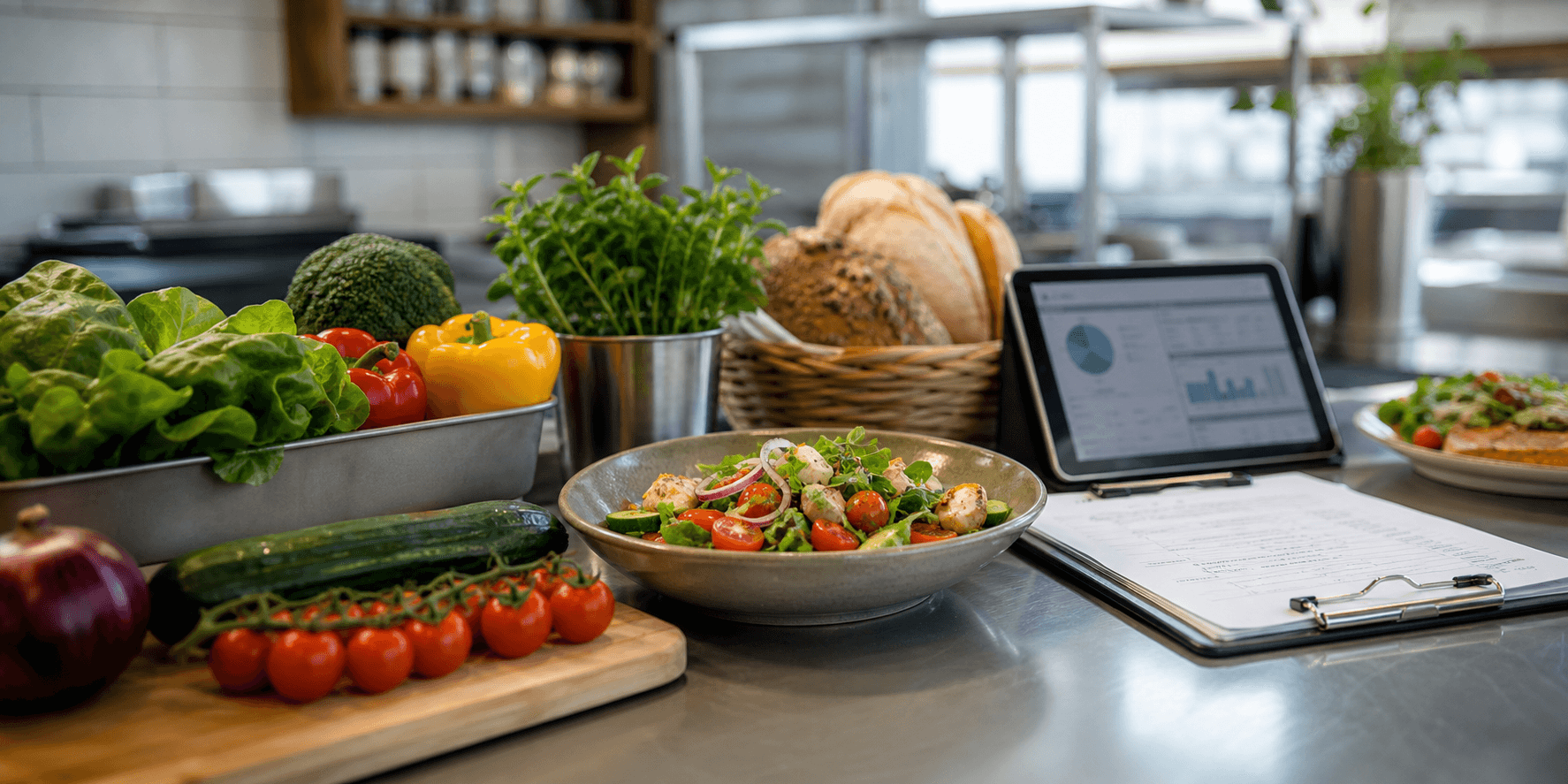
Inventory, recipes and food costing
A normal POS can show what you sold. Tab2Kit is designed to help you understand what those sales cost your business by connecting menu items to ingredients, wastage, expiry risk and supplier price changes.
Track stock by ingredient, not only by finished menu item.
Explore solutionConnect menu items to ingredients, quantities and preparation rules.
Explore solutionCalculate and monitor the cost behind menu items.
Explore solutionTrack wastage, expiry dates, batch/lot information and perishable stock alerts.
Explore solutionSupport pricing by customer group, sales channel and input ingredient cost.
Explore solutionReview which items sell, which items cost too much and which items need pricing attention.
Explore solutionSupplier and purchasing control
Food businesses deal with changing ingredient prices, different suppliers, delivery timing and supplier invoices. Tab2Kit helps organise supplier and purchasing work.
Suppliers
Purchasing control
Tomatoes
01Coffee beans
02Sourdough
03Milk
04Live view
Active
Connected module
Staff management and permissions
Tab2Kit supports staff management features that help owners and managers record attendance, calculate work time and control system access.
Record staff attendance and support attendance calculation.
Review staff work summaries to understand daily operational activity.
Control what each team member can access based on role, responsibility and location.
Reports
Reports and profit visibility
Tab2Kit gives owners and managers practical reporting across orders, inventory, suppliers, staff and cost control.
Track daily sales, order activity and operational performance.
Review trends across stock, suppliers, staff and menu performance.
Use longer-term data for planning and business review.
Understand which menu items perform well and which may be hurting margin.
Use connected information from ingredients, suppliers, wastage and sales to improve profit management.
Multi-location management
For food businesses operating across multiple locations, Tab2Kit supports clearer control over products, stock, staff and reporting.
Hardware flexibility
Tab2Kit is designed to reduce the need for specialised restaurant hardware and give cafes, restaurants and food shops a more flexible way to start, operate and grow.
Use a touchscreen laptop or tablet as a POS checkout screen.
Use a mobile phone for Stripe-powered payment workflow.
Use any laptop or computer with internet as a kitchen display or bump screen.
Product summary
Tab2Kit brings together front-of-house service, kitchen workflow, stock, recipes, suppliers, staff and reports so owners can manage more of the business from one place.
FAQ
Clear answers about what Tab2Kit includes and how it fits a food business.
Tab2Kit is cafe and restaurant operations software. It includes POS, order management, kitchen display, QR and online ordering, inventory, recipe costing, supplier management, staff management and reports.
Yes, Tab2Kit includes POS and checkout functionality. However, it is broader than a standard POS because it also supports kitchen workflow, inventory, suppliers, staff and profit reporting.
Yes. Tab2Kit is designed to reduce dedicated hardware dependency. A touchscreen laptop or tablet can be used for checkout, a mobile phone can support Stripe payment workflow, and any laptop or computer with internet can be used for kitchen display.
Yes. Tab2Kit supports ingredient-level inventory, wastage, expiry dates, batch/lot tracking and perishable stock alerts.
Yes. Tab2Kit supports BOM, recipes and food-cost calculations to help owners understand the real cost of menu items.
Yes. Tab2Kit supports supplier records, purchase orders, supplier debt and supplier price comparison.
Yes. Tab2Kit supports multi-location management for businesses operating more than one venue.
See Tab2Kit in context
Walk through the order, kitchen, stock, supplier, staff and reporting workflows that matter for your setup.