
Features
Features for managing orders, kitchen, stock, suppliers, staff and profit.
Tab2Kit brings together the tools a food business needs to run daily operations: POS, table ordering, kitchen display, QR ordering, online ordering, payments, inventory, recipes, suppliers, staff, reports and multi-location management.
Instead of adding disconnected systems as your business grows, Tab2Kit gives you a connected feature set built around the real workflow of cafes, restaurants and food shops.
Tab2Kit Go Pro
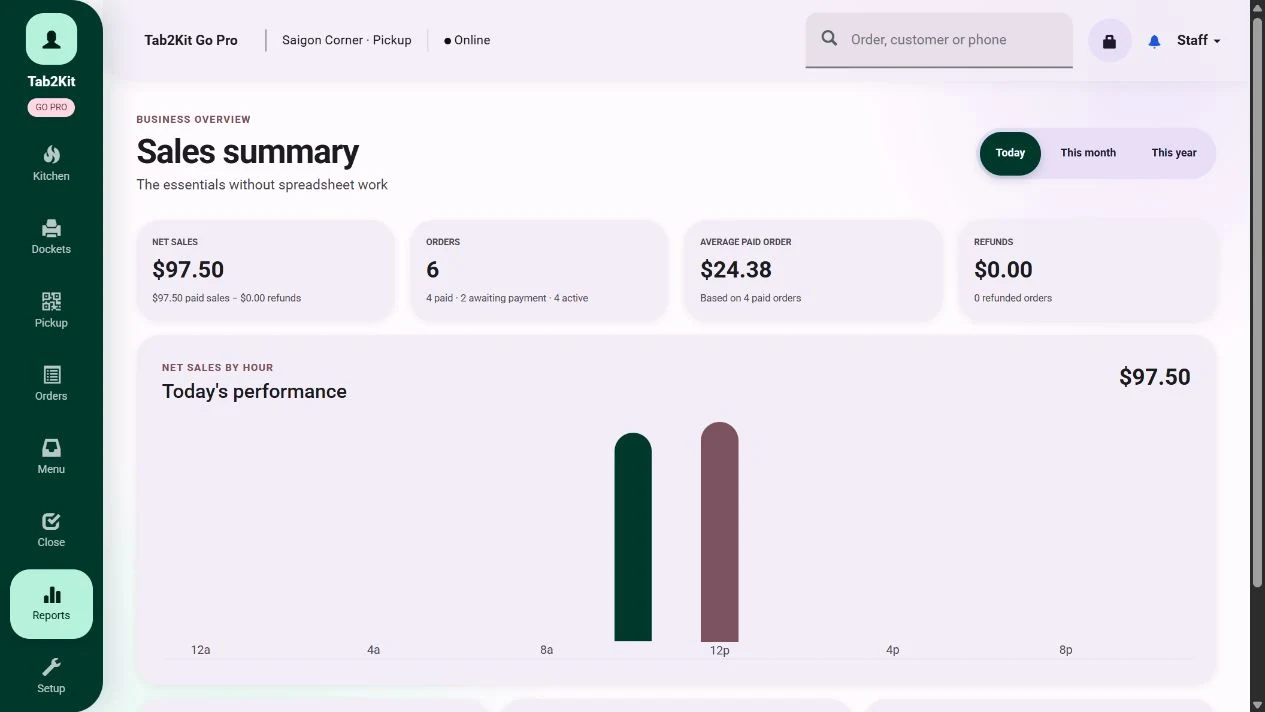 Owner reports
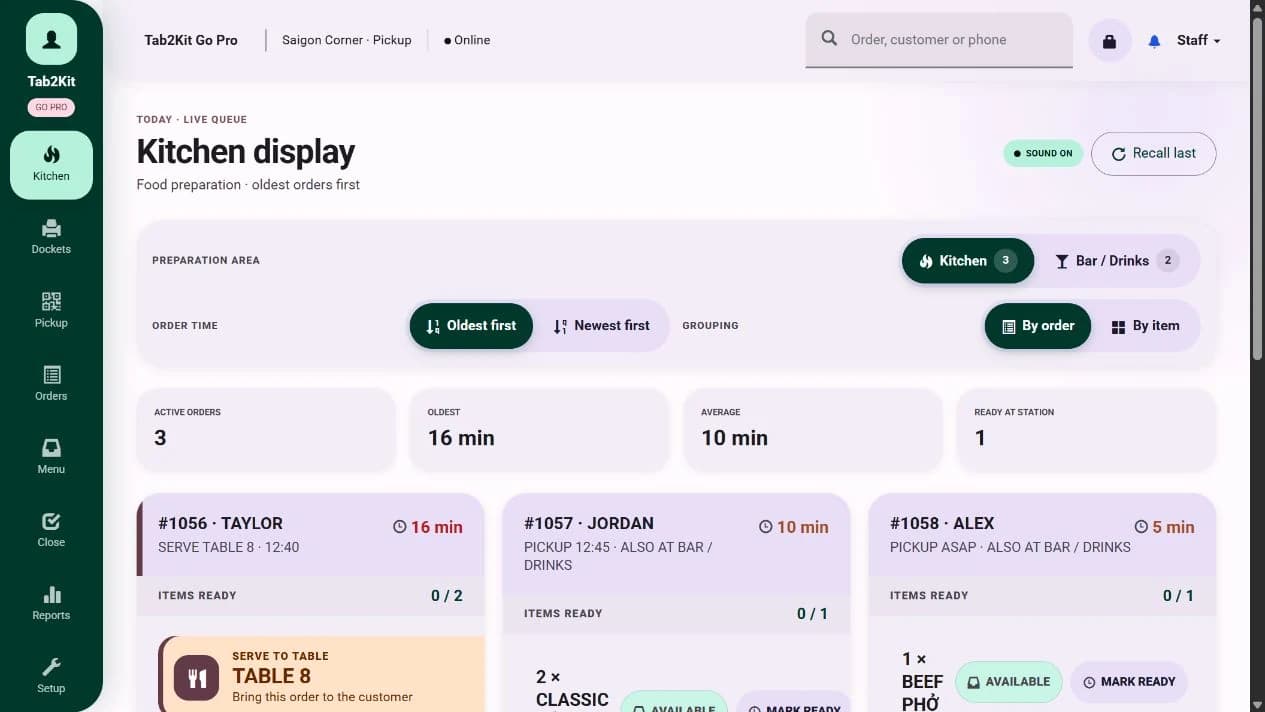 Kitchen display
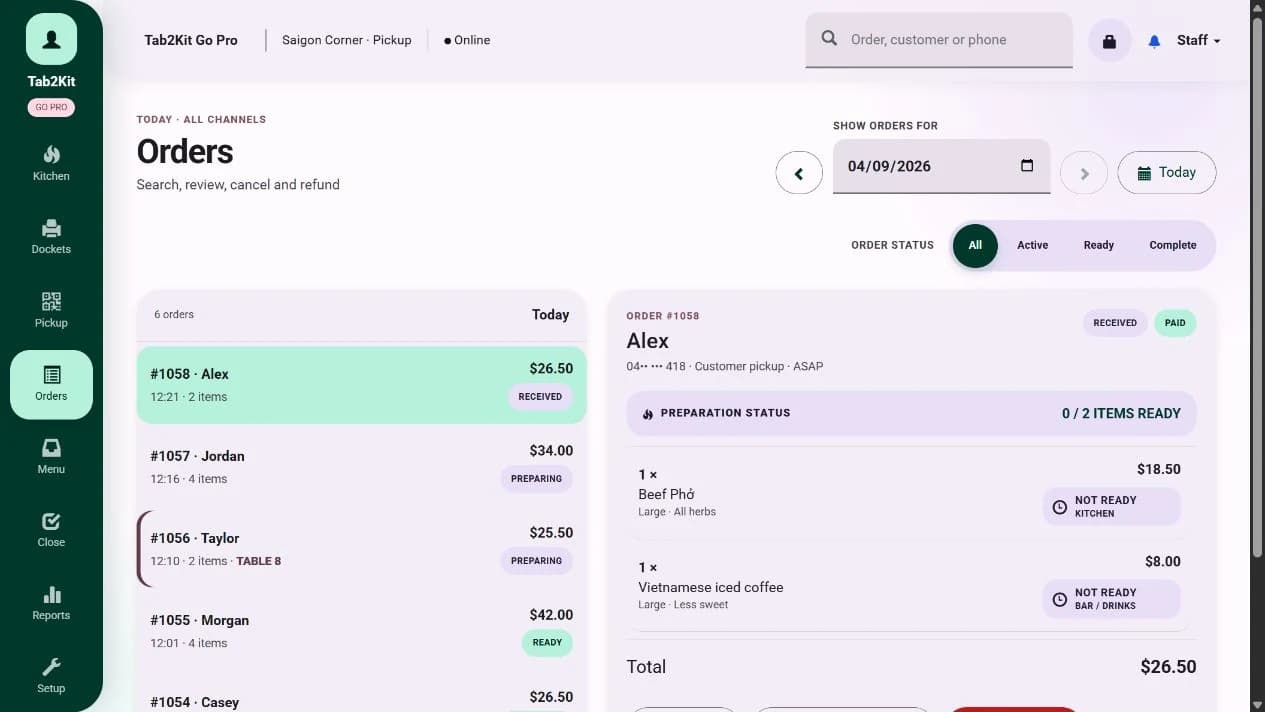 Order control
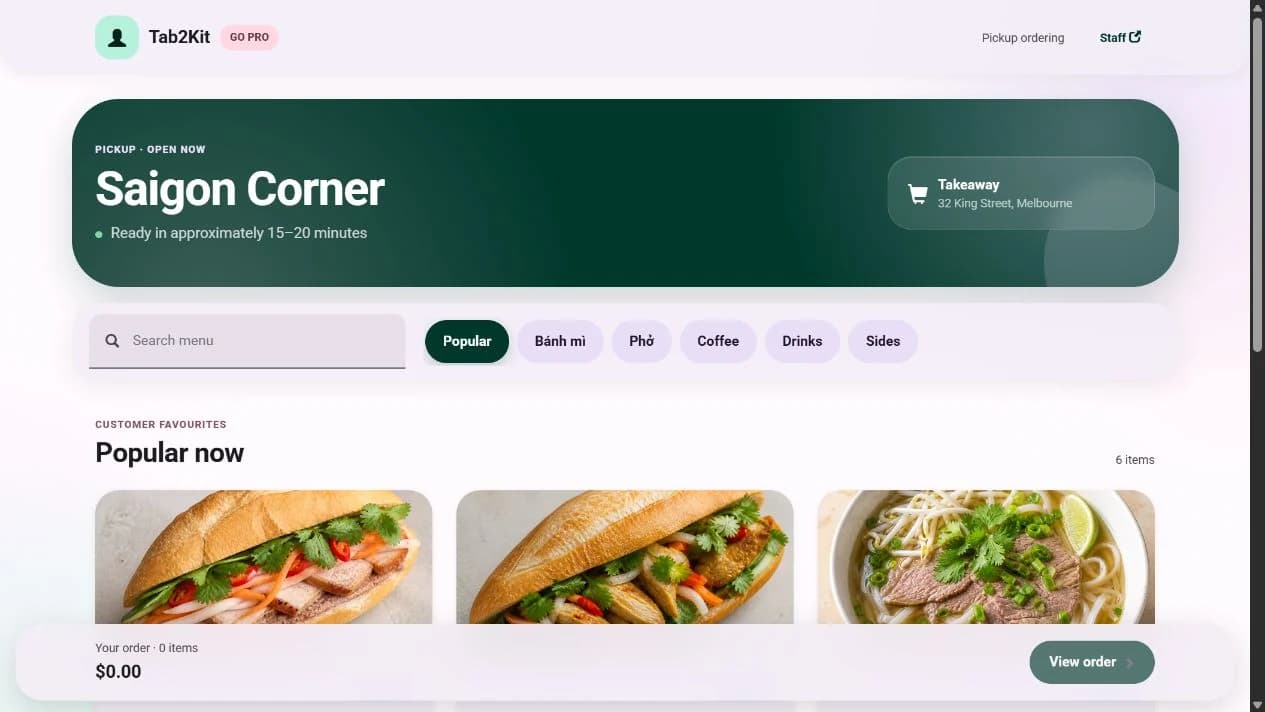 Online ordering
Feature directory
Explore features by operating area
Use this page as the main map of Tab2Kit features across front-of-house, kitchen, inventory, suppliers, staff, reports and multi-location operations.
Front of House
POS, table management, bill splitting, pricing and order handling.
Kitchen and Ordering
Kitchen display, bump screen, QR ordering, table ordering, takeaway and online ordering.
Inventory and Food Cost
Ingredient stock, BOM, recipes, food costing, wastage, expiry and batch/lot tracking.
Supplier and Purchasing
Supplier records, purchase orders, supplier debt and supplier price comparison.
Staff and Permissions
Time attendance, work summaries, attendance calculation and role-based permissions.
Reports and Multi-Location
Daily, monthly and yearly reports, menu-item analysis, cost-control visibility and multi-location management.
Front of house
Front-of-house features
Give staff a clearer way to manage customer orders and service flow.
POS & Order Management
Use a real checkout screen on a touchscreen laptop or tablet. Manage counter orders, dine-in orders, takeaway orders and order status from one workflow.
Learn moreTable Management
Manage table orders, dine-in service and order movement from table to kitchen.
Learn moreBill Splitting & Payment
Support bill splitting and practical payment workflows, including Stripe-powered payment using a mobile phone.
Learn moreMenu & Flexible Pricing
Manage menu items and pricing rules by customer group, sales channel and input ingredient cost.
Learn moreKitchen and ordering
Kitchen and ordering features
Move orders from customers to the kitchen with less confusion.
Kitchen Display System
Send orders to a cloud-based kitchen display or bump screen using any laptop or computer with internet.
Learn moreQR & Online Ordering
Support QR ordering, table ordering, takeaway ordering and online ordering through connected workflows.
Learn moreOnline Ordering Website
Give customers a direct online ordering channel connected to your own operation.
Learn moreTakeaway Ordering
Manage takeaway orders clearly from order entry to kitchen preparation and completion.
Learn moreInventory and cost control
Inventory and cost-control features
Track more than sales. Understand the cost behind each sale.
Inventory & Ingredient Management
Track stock by ingredient, not only by finished menu item. Manage stock movement, usage and ingredient visibility.
Learn moreBOM & Recipe Costing
Connect menu items to ingredients, quantities and recipe cost calculations.
Learn moreWastage, Expiry and Batch Tracking
Monitor wastage, expiry dates, batch/lot information and perishable stock alerts.
Learn moreFood Cost and Menu-Item Analysis
Review which items sell, which items cost too much and which items may need pricing attention.
Learn moreThese features help owners move from simple sales tracking to real food-cost control.
Supplier and staff
Supplier and staff management features
Keep purchasing and staff records connected to daily operations.
Supplier & Purchasing Management
Manage supplier records, purchase orders, purchasing history and supplier debt.
Learn moreSupplier Price Comparison
Compare supplier prices and connect purchasing costs with ingredient and menu pricing decisions.
Learn moreStaff Management
Track time attendance, work summaries and attendance calculations.
Learn moreRole-Based Permissions
Control what each user can access based on their role, responsibility and location.
Learn moreReporting and multi-location
Reporting and multi-location features
Turn daily activity into information you can use.
Reports & Profit Management
Review daily, monthly and yearly performance across orders, stock, suppliers, staff and cost control.
Learn moreMenu-Item Analysis
Understand which menu items perform well, which items cost too much and which items may need pricing review.
Learn moreDaily, Monthly and Yearly Reports
Use reporting for daily management, monthly review and long-term planning.
Learn moreMulti-Location Management
Manage multiple venues with clearer control over products, stock, staff, pricing and reports.
Learn moreMore than POS
Not just POS. A connected operating system for food businesses.
A basic POS helps you record sales. Tab2Kit is designed to help you manage the operation behind those sales.
Connected features
See how Tab2Kit features work together.
The value of Tab2Kit is not only in individual features. It is in the connection between front-of-house, kitchen, stock, suppliers, staff and reporting.
FAQ
Frequently asked questions
Clear answers for food business owners comparing Tab2Kit features with basic POS systems.
What features does Tab2Kit include?
Tab2Kit includes POS and order management, kitchen display, QR and online ordering, online ordering website, table management, bill splitting, payment workflow, inventory, recipe costing, supplier management, staff management, reports and multi-location management.
Does Tab2Kit include POS?
Yes. Tab2Kit includes POS and order management with a real checkout screen that can run on a touchscreen laptop or tablet.
Does Tab2Kit include a kitchen display system?
Yes. Tab2Kit includes a cloud-based kitchen display or bump screen that can run on any laptop or computer with internet.
Does Tab2Kit support ingredient inventory?
Yes. Tab2Kit supports ingredient-level inventory, wastage, expiry dates, batch/lot tracking and perishable stock alerts.
Does Tab2Kit support food costing?
Yes. Tab2Kit supports BOM, recipes and food-cost calculations for menu items.
Can Tab2Kit manage suppliers?
Yes. Tab2Kit supports supplier records, purchase orders, supplier debt and supplier price comparison.
Can Tab2Kit manage staff?
Yes. Tab2Kit supports staff attendance, work summaries, attendance calculation and role-based permissions.
Can Tab2Kit support more than one location?
Yes. Tab2Kit supports multi-location management for food businesses operating across multiple venues.
Ready to see Tab2Kit in action?