
Counter Orders
Take orders quickly at the counter using the POS checkout screen.
POS & Order Management
Tab2Kit gives your food business a real checkout screen for taking orders, managing order status and keeping service flow clear. It can run on a touchscreen laptop or tablet, helping reduce dependency on expensive dedicated POS hardware.
But Tab2Kit does not stop at checkout. Orders can connect to kitchen display, table service, QR ordering, takeaway workflow, payments, stock, staff and reports.
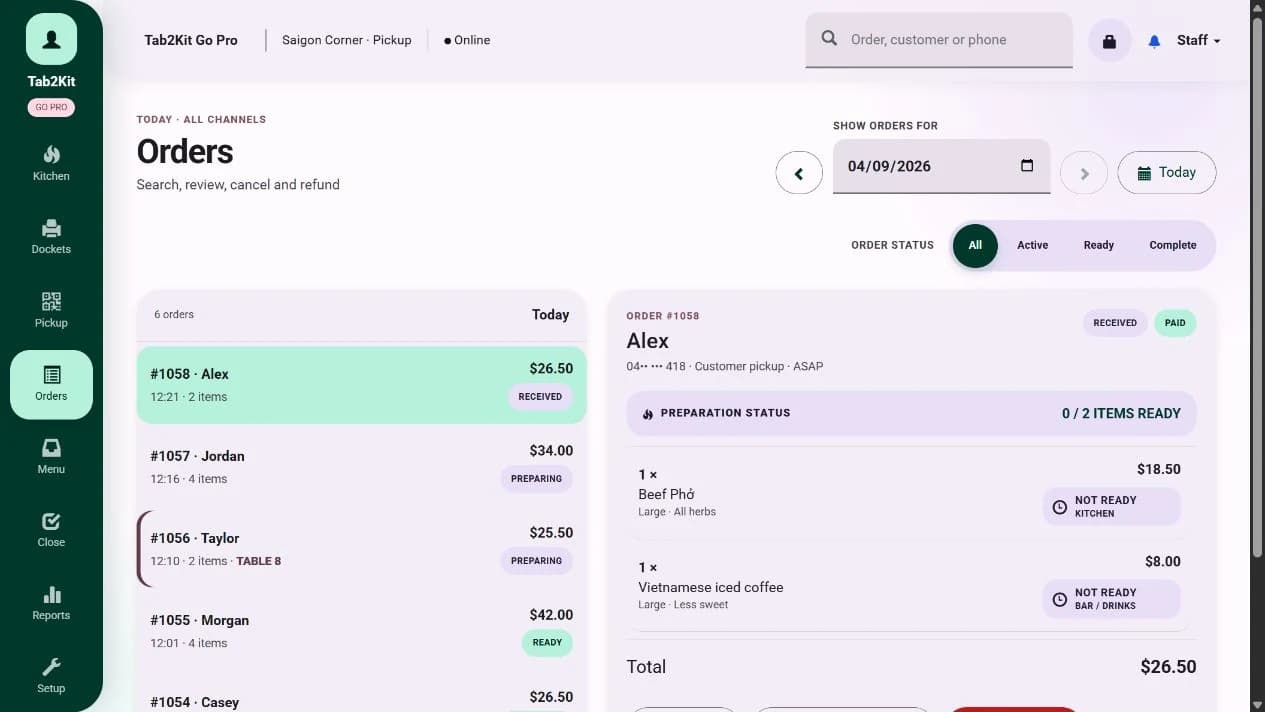
Order management
What it does
Tab2Kit helps staff take and manage orders from the front of house. Use it for counter orders, dine-in orders, takeaway orders and table service. Staff can enter items, manage order status, send orders to the kitchen and support the payment workflow from one connected system.
Take counter orders
Manage dine-in orders
Handle takeaway orders
Support table service
Track order status
Send orders to kitchen display
Connect order data to stock and reports
This gives cafes and restaurants a clearer way to manage service, especially when orders come from multiple channels.
Flexible checkout
Many food businesses do not want to start with expensive dedicated POS terminals. Tab2Kit is designed to support a more flexible setup, especially for new cafes, small restaurants, takeaway shops, pop-up food businesses and growing operators.
Order types
Food businesses rarely receive only one type of order. Tab2Kit is designed to support multiple ordering workflows without creating disconnected work behind the scenes.
Take orders quickly at the counter using the POS checkout screen.
Manage orders for customers eating inside the venue.
Support table-based service and connect table orders to the kitchen.
Manage takeaway orders from entry to kitchen preparation.
Connect QR ordering into the same operational flow.
Support online ordering without creating a separate disconnected process.
Kitchen workflow
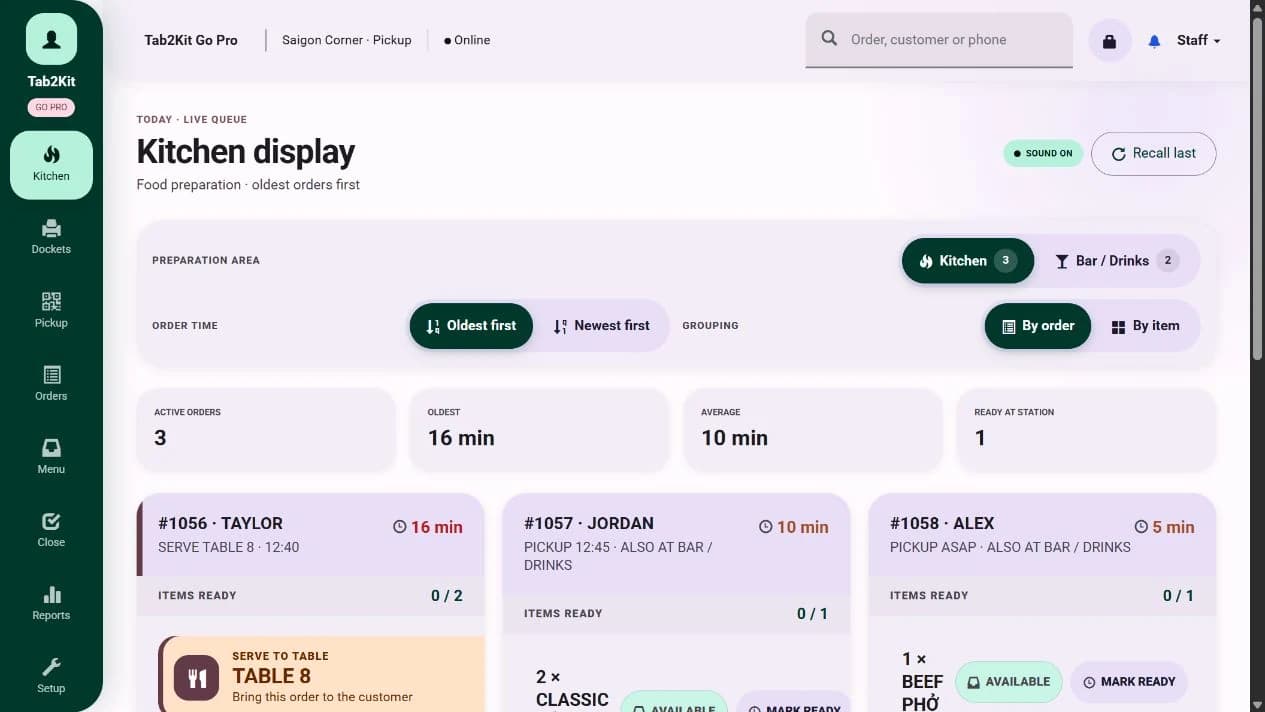
A POS is only useful if orders move clearly to the people preparing them. Tab2Kit connects order management with kitchen workflow, helping the front of house and kitchen work from the same information.
Kitchen display
Bill and payment workflow
Tab2Kit supports bill handling as part of the order workflow. This includes practical features such as bill splitting and Stripe-powered payment workflow using a mobile phone.
More than POS
A basic POS records sales and payments. Tab2Kit is designed to help manage the operation behind those sales, helping food businesses move from transaction recording to operational control.
Operational benefits
The point is not just faster checkout. It is a clearer order workflow that can connect with kitchen, stock and reports.
Staff can manage orders, status and service activity from one system.
Use a touchscreen laptop or tablet instead of relying only on dedicated POS hardware.
Send orders to kitchen display or bump screen to reduce confusion.
Order data can support reports, stock visibility and menu-item analysis.
Start with POS and order management, then connect more operational areas as the business grows.
Related features
POS and order management becomes more useful when it connects to kitchen workflow, ordering channels, stock and reports.
Send orders from front of house to kitchen display or bump screen.
Learn moreLet customers order through QR, table, takeaway or online ordering workflows.
Learn moreSupport practical bill handling and payment workflow.
Learn moreConnect order activity to ingredient-level stock visibility.
Learn moreUse order data to support daily reports, menu-item analysis and cost-control visibility.
Learn moreFAQ
Answers for cafe and restaurant owners comparing Tab2Kit with basic POS systems.
Yes. Tab2Kit includes POS and order management features for cafes, restaurants and food businesses. It also connects to kitchen workflow, inventory, suppliers, staff and reports.
Yes. Tab2Kit is designed to support a POS checkout screen using a touchscreen laptop or tablet.
Not necessarily. Tab2Kit is designed to reduce dependency on dedicated POS hardware by supporting common devices such as laptops and tablets.
Yes. Tab2Kit can support takeaway orders as part of the order management workflow.
Yes. Orders can connect to the kitchen display system or bump screen.
Yes. QR ordering can connect into the broader ordering workflow.
Yes. Tab2Kit is designed to connect order activity with ingredient-level inventory, recipes, food costing and reporting.
Ready to upgrade from a basic POS?